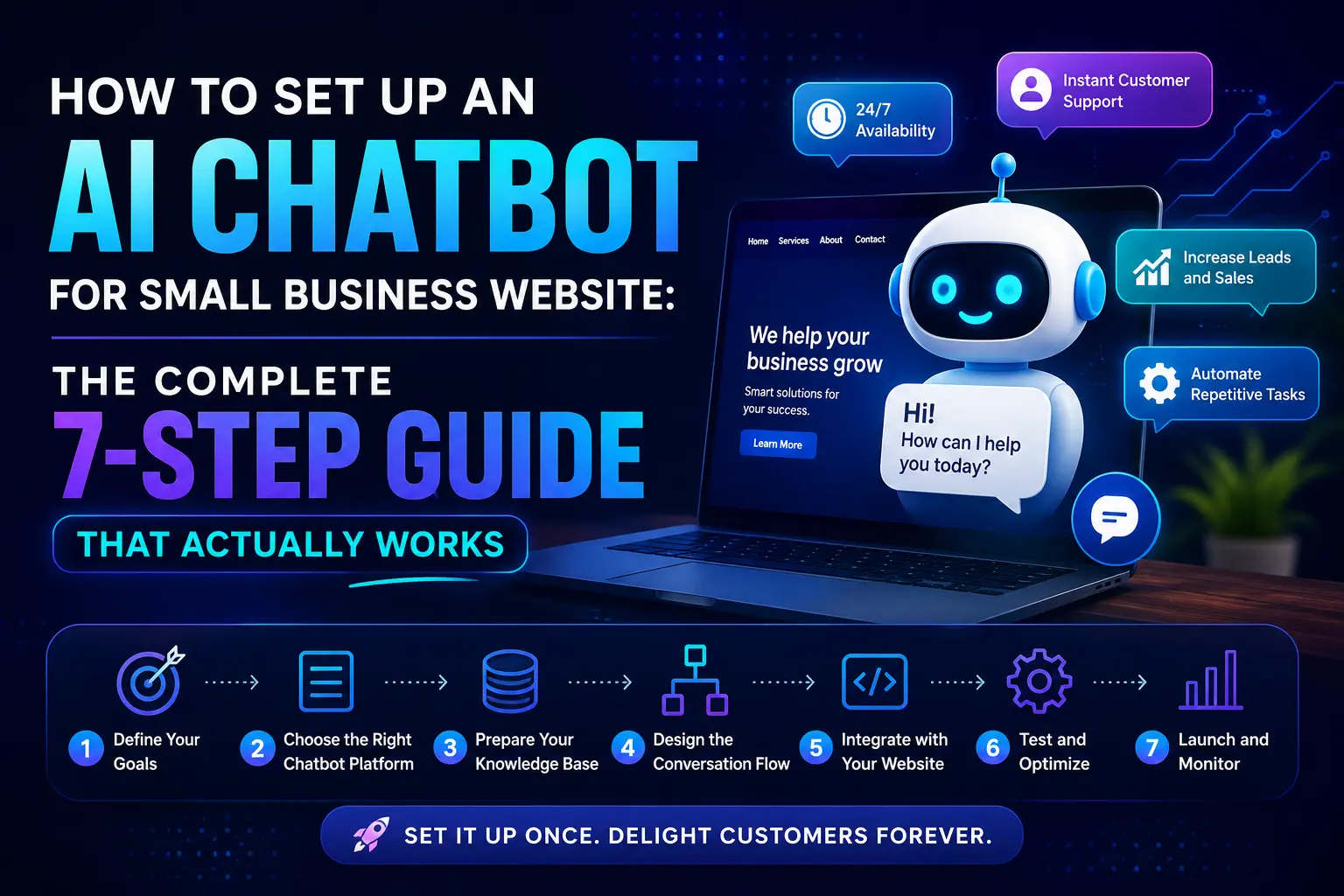
Your website visitors are asking questions right now — and if no one answers, they leave. That’s the painful reality for most small business websites. Setting up an AI chatbot for small business can change this entirely, turning your static website into a 24/7 sales and support assistant that never sleeps, never takes a lunch break, and never misses a lead.
The good news? You don’t need a developer, a big budget, or a technical background to get one running. Modern AI chatbot tools have made the setup process surprisingly straightforward — and in most cases, you can have a working chatbot live on your website within a few hours.
This guide walks you through the complete process: from choosing the right tool to training it with your business content and embedding it on your site — the right way, the first time.
Why Small Businesses Can’t Afford to Ignore AI Chatbots in 2026
Let’s be honest — most small business websites are passive. They share information, but they don’t engage. A visitor lands on your page, has a question, can’t find the answer quickly, and bounces to a competitor.
According to Tidio’s 2024 Live Chat Benchmark Report, over 62% of consumers prefer to use a chatbot rather than wait for a human agent when seeking quick answers. That’s not a trend — that’s a shift in customer expectation.
AI chatbots help small businesses:
- Capture leads even outside business hours
- Answer common customer questions instantly
- Book appointments or schedule calls automatically
- Reduce the volume of repetitive support emails
- Improve customer experience without hiring more staff
The result is less manual work, more conversions, and a website that actually earns its keep.
What You Need Before Setting Up Your AI Chatbot
Before you dive into any tool, spend five minutes getting clear on three things:
What will your chatbot do? Will it answer FAQs, collect leads, book appointments, or handle product questions? Pick one primary job. A chatbot that tries to do everything at once often does nothing well.
Where will it live? Most small business chatbots sit in the bottom-right corner of a website — but you can also deploy them on specific pages, like pricing or contact pages, where visitors are most likely to need help.
What information does it need? Make a list of your 10–15 most frequently asked questions and their answers. This content becomes your chatbot’s knowledge base.
Once you have these three things, setup becomes much faster and more focused.
The 7-Step Process to Set Up an AI Chatbot for Your Small Business Website
Step 1 — Choose the Right AI Chatbot Tool
There are dozens of chatbot platforms available, but for small businesses, you want something that is easy to configure, affordable, and doesn’t require coding. Here are the most practical options:
- Tidio — Best all-around tool for small businesses. Combines live chat and AI chatbot in one. Free plan available.
- Chatbase — Excellent for training a chatbot on your own content (upload your FAQs, PDFs, or website URL). Very beginner-friendly.
- Crisp — Great for businesses that want both chatbot and team inbox features.
- Botpress — More advanced and customizable. Good for businesses that expect high chat volumes.
- Intercom — Premium choice for businesses ready to invest more in customer experience.
For most small businesses just getting started, Tidio or Chatbase offer the best balance of features and simplicity.
Step 2 — Create Your Account and Connect Your Website
Sign up for your chosen platform. Most tools offer a free trial or a free tier.
Once inside the dashboard, look for the website integration option. You’ll typically be given a small JavaScript snippet — a few lines of code — to paste into your website’s <head> section or footer.
If you’re on WordPress, even simpler: most chatbot tools offer a dedicated WordPress plugin. Install it, enter your API key or account credentials, and the chatbot will appear on your site automatically.
No coding required for this step at all.
Step 3 — Build Your Chatbot’s Knowledge Base
This is the most important step — and the one most people rush through.
Your chatbot is only as smart as the information you give it. Go back to your list of common questions and write clear, concise answers. Then upload them to the platform.
With tools like Chatbase, you can even paste your website URL and it will crawl your content automatically to build a knowledge base. This means your chatbot instantly understands your services, pricing, location, hours, and more.
Spend time here. A well-trained chatbot handles 80% of conversations without any human involvement.
Step 4 — Set Up the Welcome Message and Bot Personality
First impressions matter — even for bots. Configure a welcome message that’s warm, on-brand, and clearly tells the visitor what the chatbot can help with.
Something like: “Hi there! I’m [Your Business Name]’s assistant. I can help you with questions about our services, pricing, or appointments. What can I help you with today?”
Keep it human. Avoid generic messages like “Hello, how may I assist you?” — they immediately feel robotic.
Step 5 — Set Up Lead Capture
If a visitor’s question can’t be answered by your bot, don’t lose them. Configure a fallback that captures their name and email so you can follow up later.
Most platforms have a built-in lead capture form that triggers automatically when the bot hits a dead end. This turns even failed chatbot conversations into sales opportunities.
Step 6 — Test Thoroughly Before Going Live
Ask your chatbot the questions your customers actually ask. Try edge cases — typos, vague questions, complaints. See where it gets confused.
Adjust the knowledge base, refine answers, and test again. This testing phase usually takes 30–60 minutes but saves you from embarrassing gaps when real customers interact with it.
Step 7 — Go Live and Monitor Conversations Weekly
Once you’re satisfied with the responses, publish the chatbot. But your work isn’t done.
Check the conversation logs every week for the first month. You’ll spot patterns — questions the bot couldn’t answer, confusion points, or missed opportunities. Use these insights to continuously improve the knowledge base.
The best chatbots aren’t set-and-forget. They get smarter as you feed them better information.
Pro Tips and Common Mistakes to Avoid
Don’t try to automate everything on day one. Start simple. Handle your top 10 FAQs, then expand from there. Overloading the chatbot early creates a messy experience.
Don’t make the chatbot pretend to be human. Be transparent. Visitors know they’re talking to a bot — and they’re fine with it as long as it’s helpful. Deception damages trust.
Do connect to a real human handoff. Always include an option to reach a live person — whether that’s an email, phone number, or live chat. Not every question should be left to a bot.
Do keep the welcome message short. Visitors scan, not read. A chatbot that launches with a paragraph of text will be immediately closed.
Don’t ignore mobile. Most of your visitors are on mobile. Test how your chatbot looks and behaves on a smartphone before going live.
How Much Does an AI Chatbot Cost for a Small Business?
This is one of the most common questions — and the answer is more affordable than most people expect.
- Free plans are available from Tidio, Crisp, and Chatbase. These are limited but fully functional for low-traffic websites.
- Starter paid plans typically range from $19 to $49 per month, covering most small business needs.
- Mid-tier plans with AI features, integrations, and analytics run $50 to $150 per month.
- Custom enterprise solutions can go much higher, but these are irrelevant for most small businesses.
For most owners, a $29/month plan is more than enough to start — and the leads and time saved make it an easy return on investment.
Conclusion
Setting up an AI chatbot for your small business website is one of the highest-impact things you can do today — without a large budget or technical team. It works while you sleep, captures leads you’d otherwise lose, and gives every visitor an immediate response.
Follow the seven steps in this guide, start with a focused knowledge base, and test rigorously before you go live. The businesses winning online in 2026 aren’t necessarily the biggest — they’re the ones that respond the fastest. Your chatbot can be that edge.
Don’t wait until your competitor sets one up first.
Before we answer some frequently asked questions, you may also find these guides helpful:
7 Best AI SOP Generator Tools in 2026 That Seriously Cut Documentation Time
Frequently Asked Questions (FAQ)
Which AI chatbot is best for small business?
Tidio is widely considered the best all-around AI chatbot for small businesses because it combines a live chat inbox, AI automation, and an easy setup into one affordable platform. Chatbase is also excellent if you want to train a chatbot on your own content without any technical work.
How to make AI chatbots for small business?
You don’t need to build one from scratch. Sign up for a platform like Tidio, Chatbase, or Crisp, connect it to your website using a plugin or code snippet, upload your FAQ content as a knowledge base, configure a welcome message, and go live. The full process typically takes 2–4 hours for a beginner.
Is there a 100% free AI chatbot?
Yes. Tidio, Crisp, and Chatbase all offer free plans with basic AI chatbot functionality. These are limited in terms of conversation volume and features but are completely free to use with no credit card required. They’re ideal for testing before committing to a paid plan.
How much does an AI chatbot cost for small business?
Most small business chatbot plans cost between $19 and $99 per month. Free tiers are available from several platforms. The cost depends on features like AI intelligence, number of conversations, integrations, and team seats. For most small businesses, a plan under $50/month is more than sufficient.
Can I buy my own AI bot?
Yes. You can subscribe to a chatbot platform and fully own the chatbot experience — including the branding, conversation flows, and knowledge base. You’re not buying a bot outright but rather licensing a platform to build and run your own customized chatbot.
Which is the cheapest AI chatbot?
Chatbase and Tidio both offer free plans. Among paid options, ManyChat’s basic plan starts around $15/month, and Crisp’s paid tier starts at $25/month per workspace. The cheapest option that still delivers quality AI responses is Chatbase’s free tier, which allows 30 AI message credits per month.
What is the cost of chatbot for a website?
The cost of adding a chatbot to your website ranges from $0 (free plans) to $150+ per month depending on the platform and features. One-time custom chatbot development from a freelancer or agency can range from $500 to $10,000+, but this is rarely necessary for a small business when ready-made tools work so well.
What are the top 5 best AI chatbots for small businesses?
The top 5 AI chatbots for small businesses in 2026 are: 1. Tidio (best all-rounder), 2. Chatbase (best for content-trained bots), 3. Crisp (best for team collaboration), 4. Intercom (best for growth-stage businesses), and 5. Botpress (best for customization and high volume). Each serves different needs and budgets.
Which chatbot is better than ChatGPT for small business websites?
ChatGPT itself isn’t designed as a plug-and-play website chatbot — it’s a general AI tool. For website use, platforms like Tidio and Chatbase are better because they’re purpose-built for customer support, lead capture, and website embedding. They use similar AI technology under the hood but come packaged with the business features you actually need.